Cart
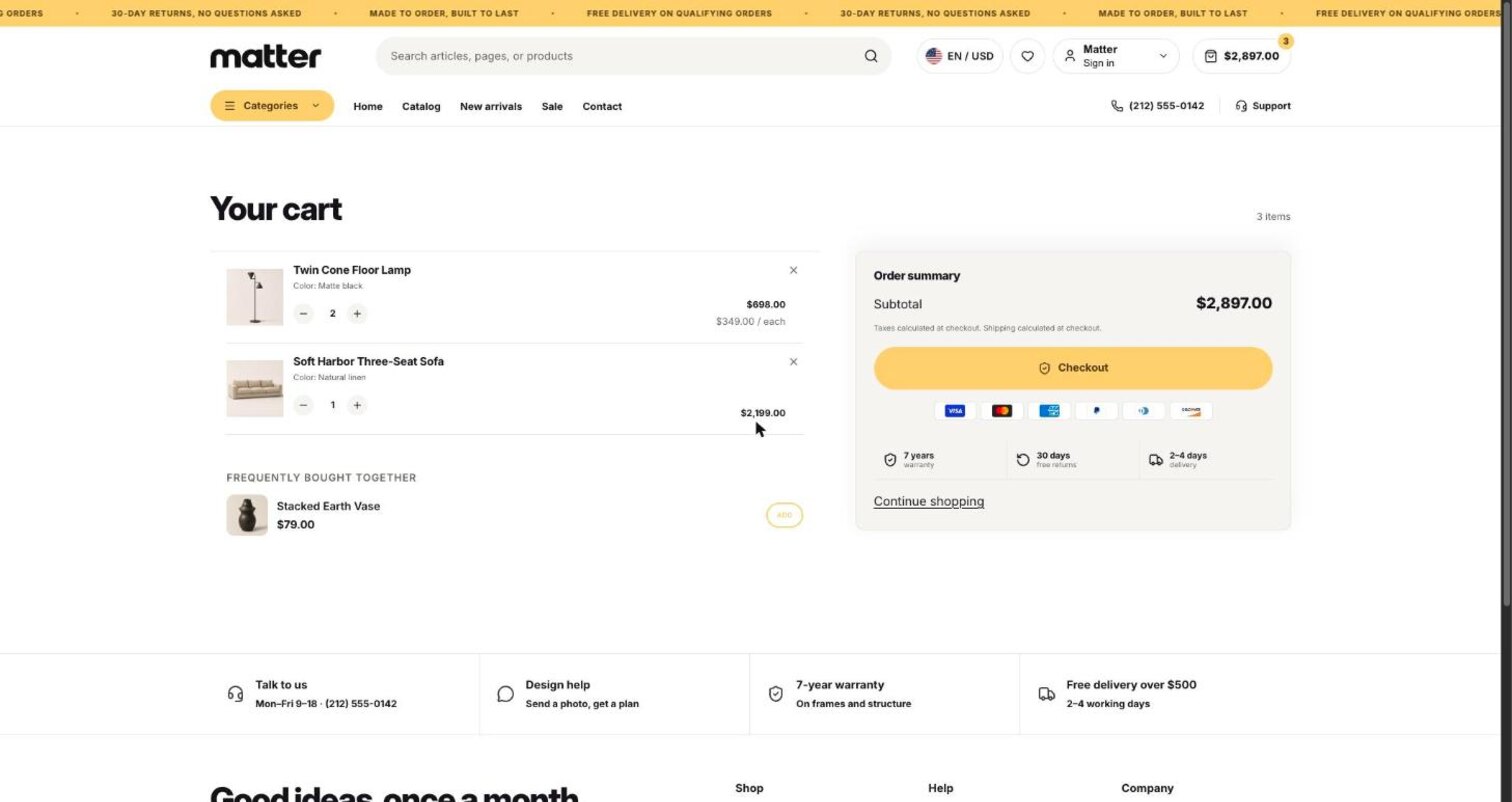
Choose a cart drawer or page and set up shipping progress, trust items, recommendations, and gift wrapping.
| Panel | Controls |
|---|---|
| Theme settings → Cart | Cart type and shared features |
| Cart drawer, in the header area | Slide-out cart |
| Cart section on the cart template | Full cart page |
Cart type and features
Editor path
- Theme settings
- then Cart
Settings: Cart
| Setting | What it does | Default or options |
|---|---|---|
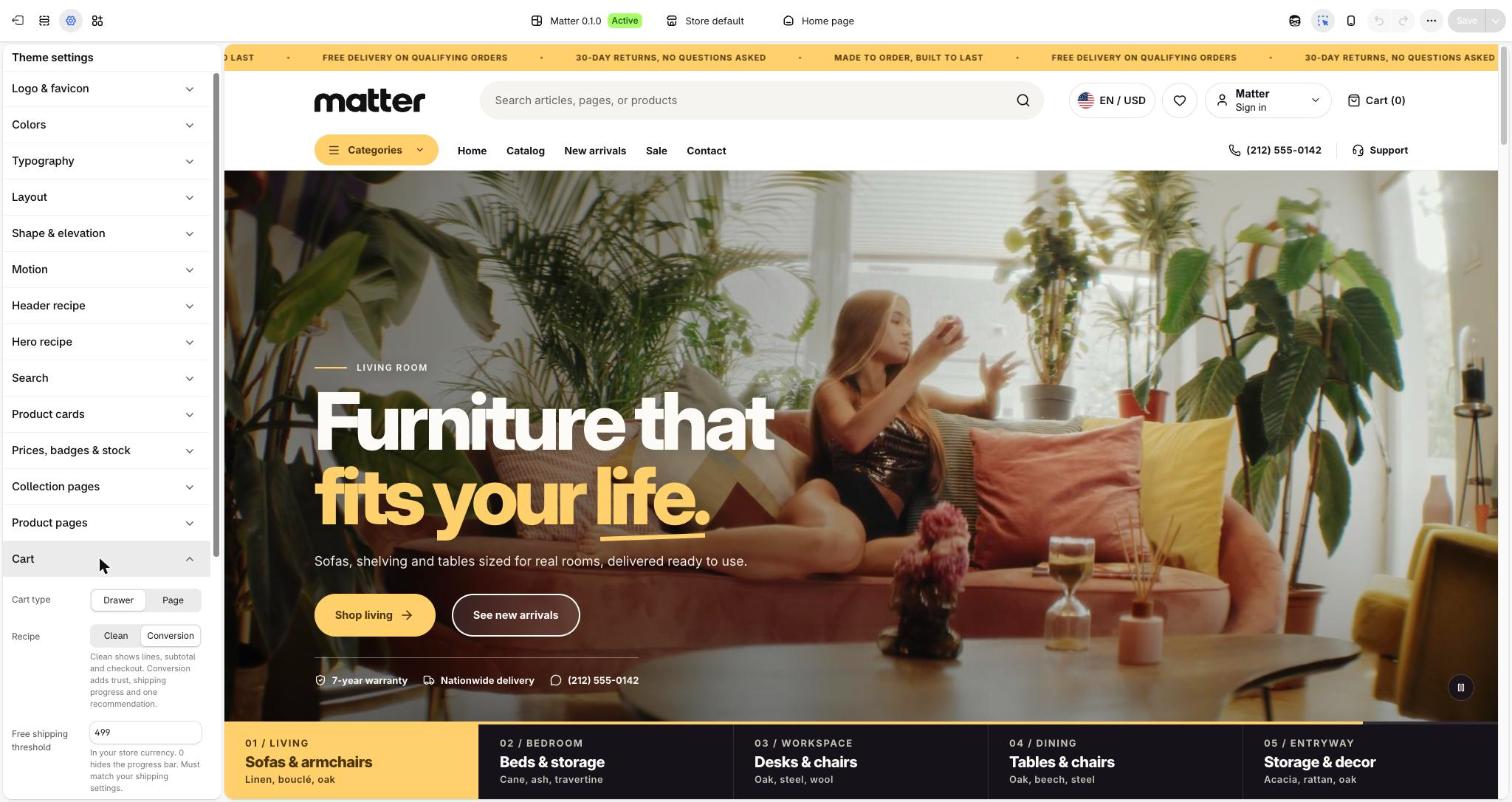
| Cart type | Drawer opens after adding and from the header cart icon. Page makes the icon link to the cart page and does not use the drawer. | Drawer (default); Page |
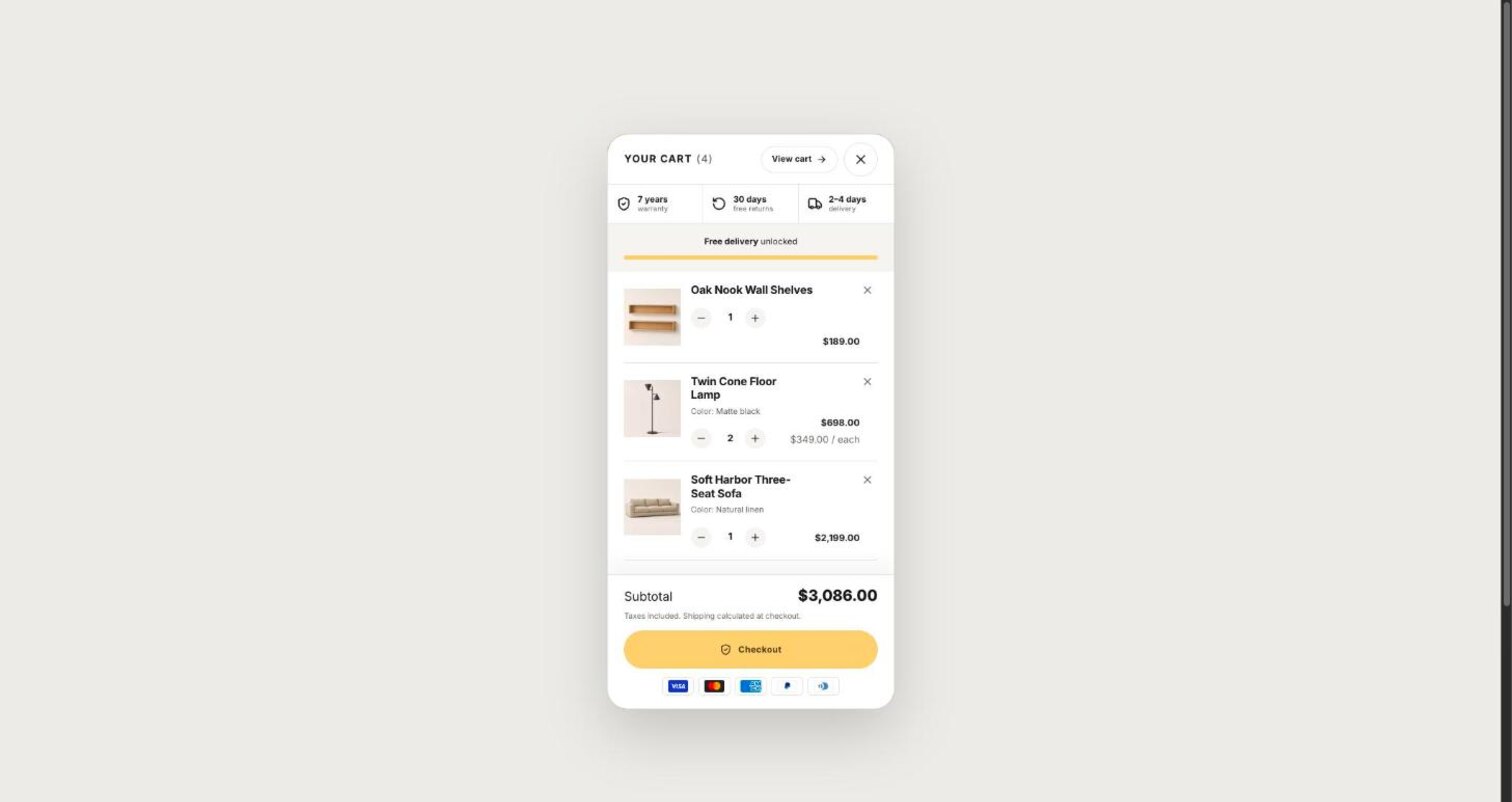
| Recipe | Clean shows products, subtotal, and checkout. Conversion adds a trust line, shipping progress, and one recommendation. | Clean; Conversion (default) |
| Free shipping threshold | Free-shipping target in your store currency. 0 hides the bar. | 0 |
| Show trust line | Show the trust line with Conversion. | On |
| Show one recommendation | Show one recommended product with Conversion. | On |
| Show order note | Let shoppers leave an order note. | Off |
| Gift wrapping product | Product added for gift wrapping; empty hides the checkbox. | — |
| Gift wrapping label | Label beside the gift wrapping checkbox. | Gift wrapping |
| Show payment icons | Show payment icons. | On |
Free-shipping progress bar
The bar tells shoppers how much more to spend for free shipping.
Editor path
- Theme settings
- then Cart
- Set Recipe to Conversion.
- Set Free shipping threshold above 0, such as
499. - Create a matching free-shipping rate in Settings → Shipping and delivery.
Gift wrapping
- Create a product named, for example, Gift wrapping, with its price.
- Choose it in Gift wrapping product.
- Optionally change Gift wrapping label.
Editor path
- Theme settings
- then Cart
- then Gift wrapping product
Checking the cart checkbox adds this product. Leave Gift wrapping product empty to hide the checkbox.
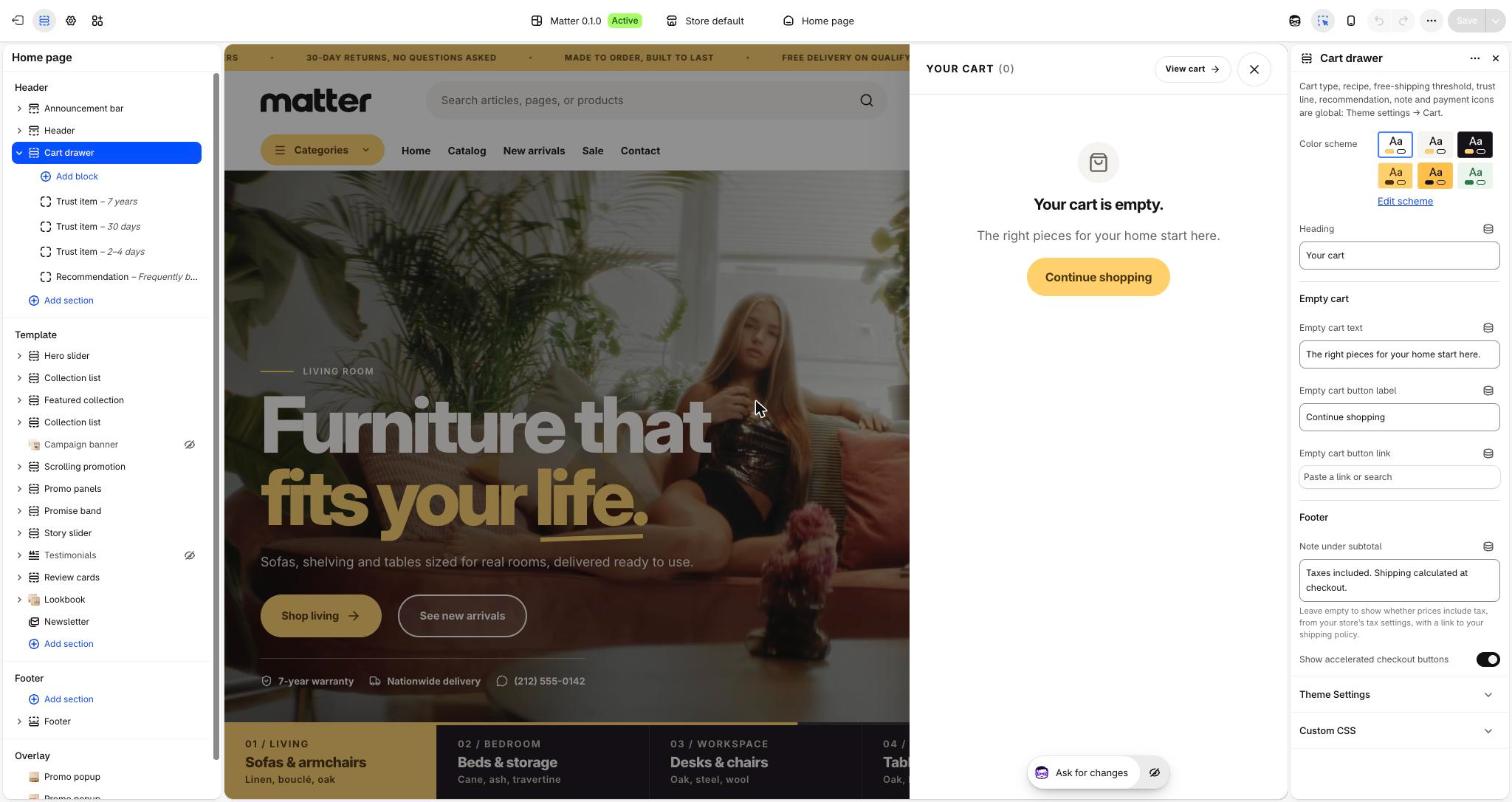
Cart drawer
Editor path
- Header area
- then Cart drawer
Settings: Cart drawer
| Setting | What it does | Default or options |
|---|---|---|
| Color scheme | Cart drawer colors, defined in Theme settings > Colors. | Scheme 1 |
| Heading | Cart drawer title. | Your cart |
| Empty cart text | Message for an empty cart. | Your cart is empty. Find something you like. |
| Empty cart button label | Empty-cart button text. | Continue shopping |
| Empty cart button link | Empty-cart button destination. | — |
| Note under subtotal | Empty shows Shopify’s tax state automatically and a shipping policy link when set. Enter text to replace that note. | — |
| Show accelerated checkout buttons | Show fast checkout buttons such as Shop Pay when available. | On |
Add up to 5 blocks:
Trust item (up to 4): shown as the trust line with the Conversion recipe.
| Setting | What it does | Default or options |
|---|---|---|
| Icon | Trust item icon. | Shield (default); Return; Truck; Package; Phone; Clock; Check |
| Title | Trust item title. | Secure |
| Text | Small line beneath the drawer trust item's title. | checkout |
Recommendation (1): shown with Conversion.
| Setting | What it does | Default or options |
|---|---|---|
| Heading | Recommendation heading. | Frequently bought together |
| Product | Empty recommends automatically based on the first cart item. | — |
Cart page
Editor path
- Theme editor
- then Cart
- then Cart
Settings: Cart
| Setting | What it does | Default or options |
|---|---|---|
| Heading | Cart page title above the item list. | — |
| Empty cart text | Message when the cart is empty. | — |
| Continue shopping label | Continue-shopping text. | — |
| Continue shopping link | Continue-shopping destination. | — |
| Note under the subtotal | Empty shows the automatic tax state and shipping policy note, as in the drawer. Enter text to replace it. | — |
| Show accelerated checkout buttons | Show available accelerated checkout buttons. | On |
| Show a recommendation | Show a recommended product. | On |
| Recommendation heading | Recommendation title. | — |
| Color scheme | Cart page colors, defined in Theme settings > Colors. | Scheme 1 |
Trust line blocks (up to 3):
| Setting | What it does | Default or options |
|---|---|---|
| Icon | Trust-line icon. | Shield (default); Truck; Return; Package; Headset; Clock |
| Title | Trust-line title. | Secure checkout |
| Text | Small line beneath the cart page trust item's title. | — |